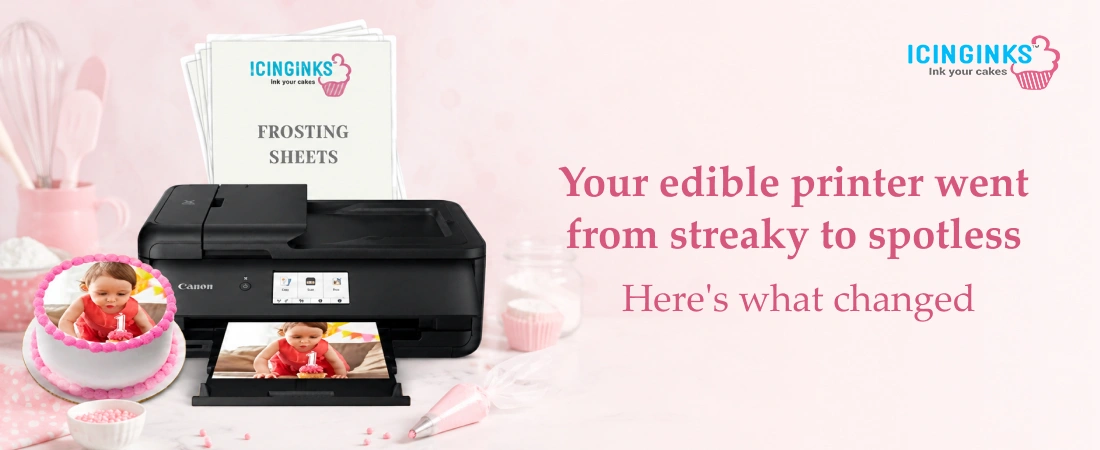
Nothing derails a baking order faster than pulling a printout from your edible image printer and watching it come out streaked, faded, or just plain wrong. If you've noticed your prints aren't as sharp as they used to be, your printer isn't broken; it's probably just clogged. Recognizing the early warning signs and reaching for an edible cleaning cartridge before the problem gets worse can save you hours of wasted ink, ruined edible sheet stock, and last-minute scrambling before a big order.
Why edible printers clog in the first place
Unlike regular printer ink, edible ink is water-based and contains sugar and food coloring. That combination makes it prone to drying out inside the printhead nozzles whenever the printer sits idle for more than a few days. The same thing happens when an edible cartridge is left installed in a machine that isn't printing regularly: the ink inside slowly dries and thickens, and eventually it stops flowing the way it should.
The result? A printhead full of dried residue that blocks ink from reaching the paper cleanly. It's a common problem, especially for home bakers and small bakery operations that don't print every single day, but the good news is it's almost always fixable without buying a new printer.
Top signs your edible printer needs cleaning
Here are the most common warning signs to watch for before your next big print job:
-
Streaky or lined prints
Vertical or horizontal lines running through your image are one of the clearest signs of a clogged nozzle.
-
Faded or missing colors
If one color looks noticeably weaker than the others, or disappears entirely, that color's nozzle is likely blocked.
-
Blank or partial sheets
In more severe cases, the printer may skip sections entirely, leaving parts of your edible sheet completely blank.
-
Banding across the image
Faint horizontal bands running through a solid color usually mean ink isn't flowing evenly.
-
Smudging or bleeding
If your edible paint-like ink smears or bleeds into surrounding areas instead of staying crisp, it could point to inconsistent ink flow rather than a paper issue.
-
The printer has been idle for a while
Even without visible print problems yet, if your printer hasn't run a job in over a week, it's worth running a cleaning cycle as a preventive measure.
What happens if you ignore the warning signs
Continuing to print without addressing these issues rarely fixes itself. In fact, it usually gets worse. A partially clogged nozzle today can become a fully blocked one within a few more print cycles, and at that point, you're not just dealing with poor quality; you're risking wasted edible sheet stock, wasted time, and potentially a damaged printhead that costs far more to replace than a bit of routine maintenance would have.
The fix: Running your edible cleaning cartridge cycle
The good news is that most clogging issues can be resolved without any technical expertise. Here's the general process:
-
Identify the problem
Take note of which colors are affected and how severe the streaking, fading, or banding looks.
-
Install an edible cleaning cartridge
Swap out your regular ink cartridge for one filled with a food-grade cleaning solution designed specifically to break down dried ink residue.
-
Run your printer's built-in cleaning function
Most edible printers have this feature under Printer Properties, Maintenance, or a similar menu.
-
Print a test sheet
Check whether the lines, colors, and coverage look normal again.
-
Repeat if necessary
Stubborn clogs may need a second or third cleaning cycle before the printhead runs clear.
-
Swap back to your regular edible cartridge
Once your test prints look clean, you're ready to get back to work.
Keeping a dedicated edible cleaning cartridge on hand means you're never caught off guard by a clogged printhead right before a deadline. Think of it the same way you'd think of an oil change for a car, a small bit of regular maintenance that prevents a much bigger, more expensive problem down the line.
How often should you clean your edible printer?
If you print daily, your printer likely won't need frequent deep cleaning since the ink stays in motion. But if your printer sits unused for stretches at a time, whether that's a slow week for a home baker or downtime between events for a bakery, it's smart to run a cleaning cycle every couple of weeks as a preventative habit rather than waiting for visible problems to show up.
Choosing the right cleaning solution
Not every cleaning cartridge is created equal. Since this solution runs through the same nozzles as your edible cartridge ink, it matters that it's genuinely food-safe, not just labeled as such. Look for cleaning cartridges that are FDA-compliant and come with a built-in chip so your printer recognizes them without extra setup. A cartridge that can handle 20 to 30 cleaning cycles will also go a lot further than a one-time-use option, giving you months of maintenance coverage from a single purchase.
Why choose Icinginks
Icinginks has spent years supplying edible printing essentials to home bakers and professional bakeries alike, from ink and cartridges to the cleaning solutions that keep everything running.
-
Food-Safe, No Compromises
FDA-compliant, Kosher-certified edible cleaning cartridge, built to dissolve buildup safely.
-
Zero Setup Hassle
Chip-enabled; your printer recognizes it instantly.
-
More Bang Per Cartridge
20-30 cleaning cycles with a single purchase.
-
One-Stop Shop
Edible cartridge ink, edible image printer supplies, and edible sheet stock, all in one place.
-
For Every Baker
From home hobbyist to full-scale bakery, we keep every print sharp.
Whatever's going wrong with your prints, we likely have the exact cartridge, ink, or cleaning solution to fix it.
Keep your prints sharp with regular maintenance
A clogged printhead doesn't have to mean a ruined order or an expensive repair. By recognizing the early signs; streaky lines, faded colors, or a printer that's been sitting idle- you can catch the problem early and fix it in minutes with the right edible cleaning cartridge. Keep one on hand, run a cleaning cycle regularly, and your edible printer will keep producing the crisp, professional-quality prints your desserts deserve.
FAQs
1. How do I know if my edible printer needs cleaning?
Look out for streaky or lined prints, faded or missing colors, blank sections on your edible sheet, or banding across solid colors. If your printer has been idle for more than a week, it's also worth running a preventative cleaning cycle even without visible issues.
2. Can I use regular printer cleaning solutions on an edible printer?
No. Regular cleaning solutions aren't food-safe and can leave harmful residue in your printhead. Always use a cleaning cartridge specifically designed for edible ink cartridges, like the FDA-compliant, Kosher-certified options from Icinginks.
3. How many times can I use an edible cleaning cartridge?
Most Icinginks edible cleaning cartridges are good for 20 to 30 cleaning cycles before replacement, making them a practical addition to your regular printer maintenance routine.
4. Will cleaning my printer damage my regular edible ink cartridge?
No. You simply remove your regular edible cartridge, run the cleaning cycle with the cleaning cartridge installed, then swap your regular cartridge back in once test prints look clean.
5. How often should I clean my edible printer to prevent clogs?
If you print daily, clogging is less likely. If your printer sits idle for extended periods, running a cleaning cycle every two weeks helps prevent buildup before it affects your print quality.
Similar Post:
How Does Edible Ink Cleaning Cartridges Add to the Life of Edible Printer?
How To Extend the Life of Your Edible Cake Printer
Edible Ink Printer Printing Blank Pages? Here's What to Do
Essential Tips for Edible Printer Maintenance – A Must-Read!
How to Improve the Quality of Your Edible Images